
The Ultimate Guide to Web Development Project Ideas for Beginners
Embarking on the journey of web development can feel like stepping into a vast, uncharted ocean. With countless languages, frameworks, and tools to learn, it’s easy to get overwhelmed. Textbooks and online tutorials provide a solid foundation, but nothing solidifies your understanding and hones your skills quite like building real-world projects. Projects are the crucible where theoretical knowledge transforms into practical expertise.
For beginners, the challenge often isn’t a lack of desire to build, but rather a lack of ideas – or perhaps, too many ideas that seem too complex. This comprehensive guide is designed to cut through that confusion, offering a curated list of web development project ideas specifically tailored for those just starting out. We’ll explore projects ranging from simple static pages to more interactive applications, gradually introducing new concepts and technologies.
By the end of this article, you’ll not only have a wealth of project ideas but also a clear understanding of why these projects are beneficial and how to approach them to maximize your learning. Let’s dive in and turn your coding aspirations into tangible creations!
Why Projects Are Essential for Beginners
Before we delve into specific ideas, let’s understand why dedicating time to projects is non-negotiable for any aspiring web developer.
Practical Experience Trumps Theory
Reading about HTML tags or JavaScript functions is one thing; using them to solve a real problem is another. Projects force you to apply theoretical knowledge, understand how different pieces fit together, and troubleshoot when things inevitably go wrong. This hands-on experience is invaluable and cannot be replicated by passive learning.
Building a Portfolio That Speaks Volumes
In the competitive world of tech, a strong portfolio is your resume. Potential employers want to see what you can do, not just what you’ve studied. A collection of well-executed projects demonstrates your skills, creativity, and problem-solving abilities far more effectively than a list of certifications. Even small, simple projects show initiative and a willingness to learn.
Developing Problem-Solving Skills
Every project, no matter how simple, presents challenges. You’ll encounter bugs, design dilemmas, and functionality hurdles. Overcoming these obstacles is where true learning happens. Projects train your mind to break down complex problems into smaller, manageable tasks, a critical skill for any developer.
Learning New Technologies Organically
Often, a project will require you to learn a new technology or concept you hadn’t planned on. Perhaps you need to fetch data from an API, implement a specific animation, or integrate a third-party library. Projects provide a natural context for expanding your toolkit and pushing your boundaries.
Boosting Motivation and Confidence
Seeing your code come to life, whether it’s a beautifully styled webpage or a functional application, is incredibly rewarding. Each completed project is a tangible achievement that boosts your confidence and fuels your motivation to tackle more complex challenges. It transforms abstract concepts into concrete accomplishments.
Before You Start: Key Considerations
Before you pick your first project, keep these essential tips in mind to ensure a smooth and productive learning experience.
1. Start Small and Simple
It’s tempting to want to build the next Facebook or Amazon, but that’s a recipe for frustration and burnout. Begin with projects that are manageable, even if they seem trivial. Master the basics, then gradually increase complexity. A perfectly executed small project is far more valuable than an unfinished ambitious one.
2. Choose What Interests You
You’ll be spending a significant amount of time on your project, so pick something you genuinely find interesting or useful. If you love movies, build a movie database app. If you enjoy cooking, create a recipe website. Passion will keep you engaged when the going gets tough.
3. Break Down the Project
Once you’ve chosen a project, don’t try to build it all at once. Break it down into the smallest possible tasks. For example, a “to-do list” project might involve:
- Displaying a static list of items.
- Adding new items.
- Marking items as complete.
- Deleting items.
- Saving items to local storage.
This modular approach makes the project less daunting and allows you to celebrate small victories.
4. Don’t Be Afraid to Look Up Solutions
You’re a beginner, not a coding guru. It’s perfectly normal – and expected – to consult documentation, search Stack Overflow, watch tutorials, and read articles. The goal isn’t to know everything upfront but to learn how to find answers and understand the solutions. Just make sure you understand the code you’re copying, don’t just paste blindly.
5. Use Version Control (Git & GitHub)
Even for your very first project, get into the habit of using Git for version control and GitHub (or GitLab/Bitbucket) to host your code. This is an industry standard. It allows you to track changes, revert to previous versions, and showcase your code to others. It’s a fundamental skill that will serve you well throughout your career.
6. Deploy Your Projects
Don’t let your projects gather dust on your local machine. Learn how to deploy them to the web using services like Netlify, Vercel, GitHub Pages, or Heroku. Seeing your creation live on the internet is incredibly motivating and makes it accessible for others (and potential employers) to view.
Beginner-Friendly Project Ideas (HTML, CSS, JavaScript Focus)
These projects are perfect for solidifying your understanding of the core web technologies: HTML (structure), CSS (styling), and vanilla JavaScript (interactivity).
1. Static Websites
These projects focus heavily on HTML structure and CSS styling, making them excellent for mastering layout, typography, and responsive design.
Web Development for Beginners: Start Building Websites Today
Etimes247: Nigeria’s Trusted News Hub
The Reasons Why We Love Web Design Agency
a. Personal Portfolio Page
- What it is: A single-page website showcasing your skills, projects, and contact information.
- What you’ll learn:
- Semantic HTML5 (header, nav, section, footer, article, aside).
- Advanced CSS layouts (Flexbox, Grid).
- Responsive design for different screen sizes (media queries).
- Styling forms and buttons.
- Basic image optimization.
- Stretch goals: Add a simple contact form (even if it doesn’t send emails initially), implement smooth scrolling, add a dark/light mode toggle.
b. Business Landing Page (Fictional)
- What it is: A single-page website for a fictional business (e.g., a coffee shop, a tech startup, a photography studio) designed to capture leads or inform visitors.
- What you’ll learn:
- Creating compelling visual hierarchies.
- Using hero sections, call-to-action buttons.
- Embedding maps (e.g., Google Maps iframe).
- Working with icons (e.g., Font Awesome).
- Designing visually appealing sections (testimonials, features, pricing).
- Stretch goals: Implement a simple image gallery/carousel, add a modal popup for a newsletter signup.
c. Recipe Website
- What it is: A static website displaying a collection of recipes, each with ingredients, instructions, and perhaps an image.
- What you’ll learn:
- Structuring content with lists (ordered/unordered).
- Using tables for nutritional information (optional).
- Styling images and text effectively.
- Creating navigation between multiple recipe pages (if you make it multi-page).
- Stretch goals: Add a simple search bar (client-side JavaScript filtering), implement a “print recipe” button.
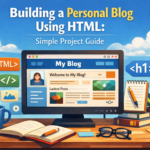
d. Blog Layout (Static)
- What it is: A static representation of a blog, featuring a list of posts, individual post pages, and a sidebar.
- What you’ll learn:
- Structuring complex layouts with multiple columns.
- Styling article content (headings, paragraphs, blockquotes, code snippets).
- Creating navigation for categories and tags.
- Designing a comment section (static initially).
- Stretch goals: Implement a basic “read more” functionality with JavaScript, add a simple “like” button (client-side only).
e. Event Invitation Page
- What it is: A stylish one-page invitation for a fictional event (wedding, birthday party, conference).
- What you’ll learn:
- Working with background images/videos.
- Styling countdown timers (static or basic JS).
- Creating RSVP forms (static).
- Using custom fonts.
- Designing for a specific aesthetic or theme.
- Stretch goals: Implement a dynamic countdown timer with JavaScript, add a simple image gallery of the venue.
2. Interactive JavaScript Projects
These projects introduce JavaScript to add dynamic behavior and user interaction, moving beyond static presentation.
a. To-Do List App
- What it is: An application where users can add, mark as complete, and delete tasks.
- What you’ll learn:
- DOM manipulation (creating, appending, removing elements).
- Event listeners (click, submit).
- Input handling.
- Conditional logic.
- Crucial: Storing data in
localStorageso tasks persist after refresh.
- Stretch goals: Filter tasks (all, active, completed), edit existing tasks, drag-and-drop reordering.
b. Calculator
- What it is: A basic arithmetic calculator (add, subtract, multiply, divide).
- What you’ll learn:
- Handling user input from multiple buttons.
- Managing state (current number, previous number, operator).
- Basic arithmetic operations.
- Displaying results.
- Stretch goals: Implement more advanced operations (square root, percentage), handle decimal numbers, keyboard support.
c. Quiz App
- What it is: A simple multiple-choice quiz with a score tracker.
- What you’ll learn:
- Working with arrays of objects (for questions and answers).
- Looping through data to display questions.
- Handling user selections.
- Conditional logic for checking answers and calculating scores.
- Displaying results and a “play again” option.
- Stretch goals: Add a timer for each question, randomize question order, store high scores in
localStorage.
d. Image Carousel/Slider
- What it is: A component that cycles through a series of images, often with navigation buttons and/or automatic playback.
- What you’ll learn:
- Manipulating CSS properties with JavaScript (e.g.,
transform,opacity). - Setting and clearing intervals (
setInterval,clearInterval). - Handling button clicks to navigate images.
- Manipulating CSS properties with JavaScript (e.g.,
- Stretch goals: Add dot indicators for image position, implement fade transitions instead of slides, make it responsive.
e. Simple Game (e.g., Rock-Paper-Scissors, Guess the Number)
- What it is: A basic browser-based game where the user interacts with the application.
- What you’ll learn:
- Generating random numbers/choices.
- Implementing game logic and rules.
- Updating the UI based on game state.
- Keeping score.
- Stretch goals (for Guess the Number): Provide hints (higher/lower), limit the number of guesses.
- Stretch goals (for Rock-Paper-Scissors): Add a visual representation of choices, implement a “best of X” series.
f. Countdown Timer
- What it is: A timer that counts down to a specific date/time or from a set duration.
- What you’ll learn:
- Working with JavaScript
Dateobjects. - Calculating time differences.
- Updating the display every second (
setInterval). - Formatting time (days, hours, minutes, seconds).
- Working with JavaScript
- Stretch goals: Allow users to set their own countdown target, add a sound effect when the timer finishes.
g. Weather App (using a public API)
- What it is: An application that fetches and displays current weather information for a given city.
- What you’ll learn:
- Key Skill: Making HTTP requests to an API (
fetchAPI). - Handling JSON data.
- Displaying dynamic data in the UI.
- Error handling for API requests.
- Signing up for and using an API key (e.g., OpenWeatherMap API).
- Key Skill: Making HTTP requests to an API (
- Stretch goals: Add a search bar for cities, display weather icons, show a multi-day forecast.
h. Unit Converter
- What it is: An app that converts values between different units (e.g., Celsius to Fahrenheit, kilometers to miles, grams to ounces).
- What you’ll learn:
- Handling multiple input fields and select dropdowns.
- Implementing conversion formulas.
- Updating output dynamically as input changes.
- Stretch goals: Add more unit categories, allow users to swap units, handle invalid input gracefully.
i. Tip Calculator
- What it is: An app to calculate the tip amount and total bill based on bill amount, tip percentage, and number of people.
- What you’ll learn:
- Handling numerical inputs.
- Performing basic calculations.
- Updating multiple output fields simultaneously.
- Input validation.
- Stretch goals: Add custom tip percentage input, split the bill unevenly, provide a “reset” button.
j. Digital Clock
- What it is: A real-time digital clock displaying the current time.
- What you’ll learn:
- Working with JavaScript
Dateobjects to get current time. - Using
setIntervalto update the time every second. - Formatting time (12-hour vs. 24-hour, AM/PM).
- Working with JavaScript
- Stretch goals: Add a date display, implement an alarm function, allow users to switch between time zones.
Intermediate Project Ideas (Introducing Frameworks/Libraries & Backend Basics)
Once you’re comfortable with HTML, CSS, and vanilla JavaScript, it’s time to explore frameworks, libraries, and the basics of backend development. These projects will introduce you to more complex architectures and data management.
1. Frontend Frameworks (React, Vue, Angular)
These projects leverage a JavaScript framework/library to build more complex, component-based user interfaces. Pick one framework and stick with it for a few projects.
a. E-commerce Product Listing Page (with filtering/sorting)
- What it is: A page displaying a list of products, with functionality to filter by category, price range, and sort by various criteria.
- What you’ll learn:
- Component-based architecture.
- Managing application state (e.g., current filters, sorted order).
- Rendering dynamic lists of data.
- Handling complex user interactions.
- Using dummy data (JSON file) or a mock API.
- Stretch goals: Implement a search bar, add a “add to cart” button (client-side only), pagination.
b. Social Media Feed Clone (basic)
- What it is: A simplified version of a social media feed, displaying posts with user names, content, and perhaps like/comment counts.
- What you’ll learn:
- Advanced component design.
- Passing data between components (props).
- Handling user interactions (e.g., liking a post).
- Conditional rendering.
- Stretch goals: Allow users to create new posts (client-side), implement a basic “follow” button, integrate with a simple API.
c. Movie Database App (using an API like TMDB)
- What it is: An application to search for movies, view details, and perhaps save favorites.
- What you’ll learn:
- Crucial: Integrating with a third-party RESTful API (e.g., The Movie Database API).
- Asynchronous JavaScript (
async/await). - Handling API responses and errors.
- Routing (e.g., React Router, Vue Router) for movie details pages.
- Stretch goals: Implement user authentication (client-side mock), save favorite movies to
localStorage, display movie trailers.
d. Recipe Finder (more advanced, with search)
- What it is: An application that allows users to search for recipes based on ingredients or keywords, fetching data from a recipe API (e.g., TheMealDB, Spoonacular).
- What you’ll learn:
- Advanced API integration with search parameters.
- Displaying complex data structures (nested objects/arrays).
- Implementing robust search functionality.
- Error handling for various API responses.
- Stretch goals: Filter by dietary restrictions, display detailed ingredient lists and instructions, save favorite recipes to
localStorage.
e. Chat Application (simple, client-side only or with Firebase)
- What it is: A basic chat interface where users can send and receive messages.
- What you’ll learn:
- Real-time data handling (if using Firebase or WebSockets).
- Managing message lists.
- Input handling for sending messages.
- (With Firebase) Setting up a NoSQL database, real-time listeners.
- Stretch goals: Add user names, display message timestamps, implement private messaging (more complex).
2. Backend Basics (Node.js/Express, Python/Flask/Django, PHP/Laravel, Ruby/Rails)
These projects introduce you to server-side programming, databases, and how to create APIs. Choose one backend technology stack to focus on.
a. Simple Blog with CRUD operations
- What it is: A backend application that allows you to create, read, update, and delete blog posts.
- What you’ll learn:
- Setting up a server (e.g., Express.js, Flask).
- Connecting to a database (e.g., MongoDB, PostgreSQL, SQLite).
- Defining routes and handling HTTP requests (GET, POST, PUT, DELETE).
- Implementing CRUD operations with a database.
- Using a templating engine (e.g., EJS, Jinja2) or serving JSON for a separate frontend.
- Stretch goals: Add user authentication, implement comments, categorize posts.
b. User Authentication System (Login/Register)
- What it is: A backend service that handles user registration, login, and session management.
- What you’ll learn:
- Hashing passwords for security.
- Creating user models in a database.
- Implementing login and registration routes.
- Using sessions or JSON Web Tokens (JWT) for authentication.
- Protecting routes that require authentication.
- Stretch goals: Add password reset functionality, email verification, role-based authorization.
c. RESTful API for a Simple Resource (e.g., tasks, books)
- What it is: A backend API that provides endpoints to manage a single resource (e.g., a list of tasks, a collection of books).
- What you’ll learn:
- Designing RESTful API endpoints.
- Handling different HTTP methods (GET, POST, PUT, DELETE).
- Returning JSON data.
- Interacting with a database to store and retrieve resources.
- Stretch goals: Add filtering, sorting, and pagination to API endpoints, implement basic API key authentication.
d. URL Shortener
- What it is: A service that takes a long URL and generates a short, unique one that redirects to the original.
- What you’ll learn:
- Generating unique short codes.
- Storing original URLs and short codes in a database.
- Implementing redirects.
- Handling collisions for short codes.
- Stretch goals: Track click counts for short URLs, allow users to set custom short codes, implement user accounts.
e. File Uploader (basic)
- What it is: A backend service that allows users to upload files to the server.
- What you’ll learn:
- Handling
multipart/form-datarequests. - Saving files to the server’s file system.
- Basic validation of file types and sizes.
- (Optional) Storing file metadata in a database.
- Handling
- Stretch goals: Integrate with cloud storage (e.g., AWS S3), display uploaded files, implement file deletion.
Advanced Beginner/Early Intermediate (Combining Frontend & Backend)
These projects involve building both the client-side (frontend) and server-side (backend) components, providing a full-stack experience.
1. Full-Stack To-Do List (with database persistence)
- What it is: An enhanced To-Do List where tasks are stored in a database, allowing multiple users (with authentication) to manage their own tasks.
- What you’ll learn:
- Connecting a frontend framework (React/Vue/Angular) to a custom backend API.
- Implementing user authentication (login, registration, protected routes).
- Managing user-specific data in a database.
- Handling asynchronous operations between frontend and backend.
- Technologies: Frontend framework + Node.js/Express + MongoDB/PostgreSQL.
2. Simple E-commerce Store (basic product display, cart, checkout simulation)
- What it is: A web application displaying products, allowing users to add items to a cart, and simulate a checkout process.
What you’ll learn:
Building a product catalog backend API.
Managing shopping cart state (frontend and/or backend).
* Implementing a basic checkout flow (


Leave a comment